How to Read a Printer Test Page
A printer test page is most useful when you read each pattern separately. This guide explains what solid blocks, gradients, fine lines, grids, text and repeating marks can show — and where they can mislead you.
Quick Visual Reference: Common Print-Quality Appearances
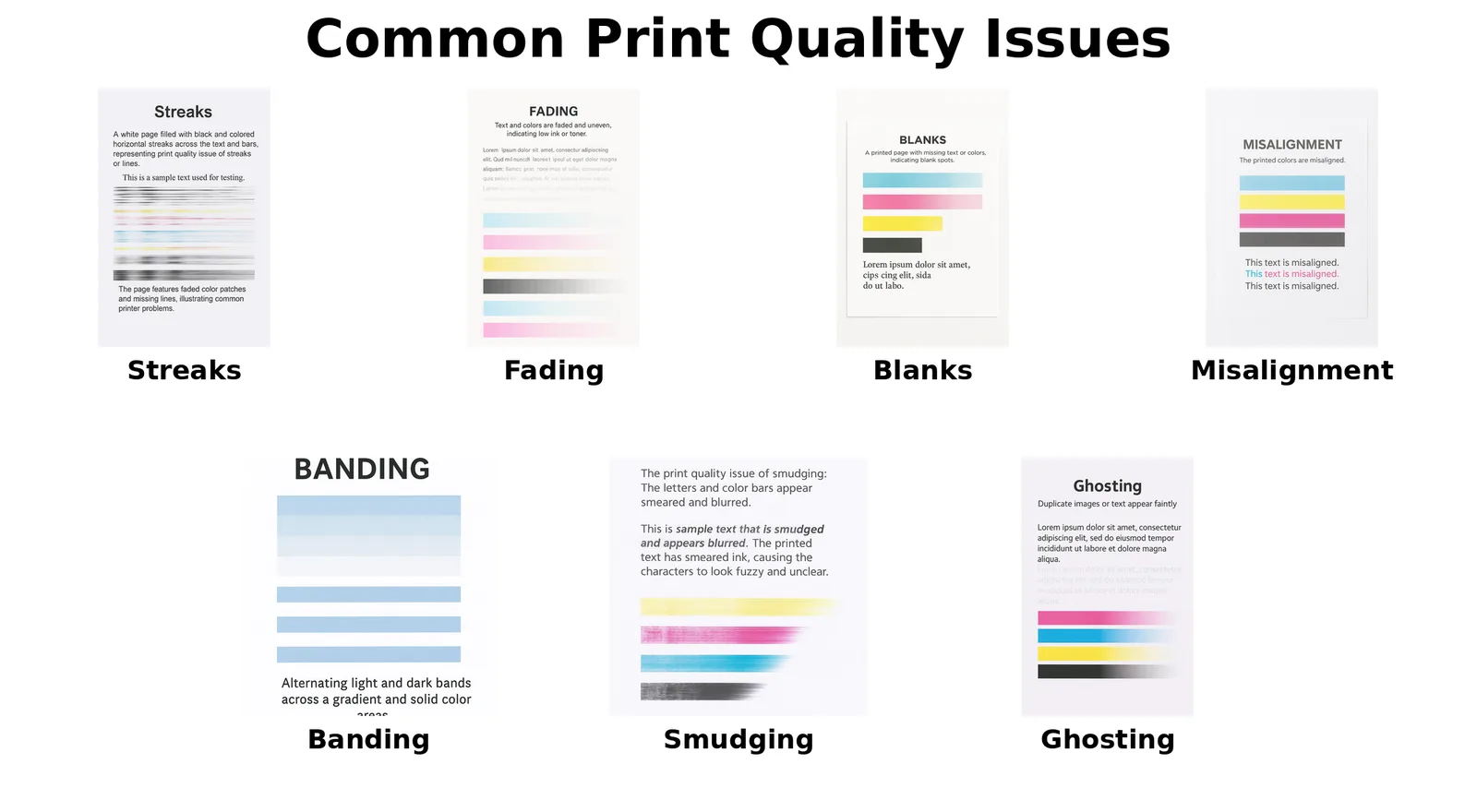
This graphic is an illustrative comparison, not a diagnosis chart. Similar-looking defects can have different causes on inkjet and laser printers, so use the sections below to interpret the pattern in context.
Solid Color Blocks
Look for missing areas, white streaks, weak density and an unexpected hue. On an inkjet, weakness concentrated in a cyan-, magenta- or yellow-looking reference area can justify checking the printer's own nozzle pattern and ink supply. On a color laser, use the model's toner and print-quality diagnostics instead of inkjet cleaning steps. Because browser, driver and printer color conversion can mix physical colorants, a browser-generated block is evidence to investigate rather than proof that one cartridge or channel has failed.
Mixed Colors
Red-, green- and blue-looking areas on paper are produced through the printer's color-conversion pipeline. If a mixed-color area looks wrong while the simpler color-oriented references are comparatively even, investigate color-management, media/profile, driver and printer-calibration factors as well as supply condition.
Gradients
A smooth gradient should change progressively. Horizontal bands can reveal inkjet nozzle/feed interactions, while abrupt tonal steps may also come from source rendering, driver settings or limited grayscale reproduction. Keep the same browser and print settings between comparisons.
Fine Lines and Small Text
Broken inkjet lines can support a nozzle check. Doubled or shadowed lines can support an alignment check. On lasers, ragged edges, scatter or repeated contamination may point toward toner/imaging issues. Paper quality and print mode can affect all of these.
Alignment Grids and Frames
A grid is useful for observing skew, offset and double imaging. Do not assume every fuzzy line is a printhead alignment fault: laser printers do not use an inkjet printhead, and paper feed, driver scaling or imaging components can create similar visual symptoms.
Grayscale Steps
Count how many steps remain visibly distinct. If dark steps merge, shadow detail is being lost; if light steps disappear, highlights are clipping. Draft/eco modes, paper, color-management and consumable condition can all influence the result.
Repeating Spots or Marks
Regular repetition is especially useful on laser printers because rotating parts can reproduce a defect at a consistent interval. Repetition narrows the investigation but does not identify a part with certainty without the model's service information.