Horizontal Lines on Prints: Banding vs Feed vs Nozzle Problems
Horizontal stripes are often called banding, but the word describes an appearance, not a cause. First identify the printer technology, then look at whether the lines are white gaps, darker bands, color-specific gaps or mechanical repeating marks.
Photographed Example: Horizontal Banding
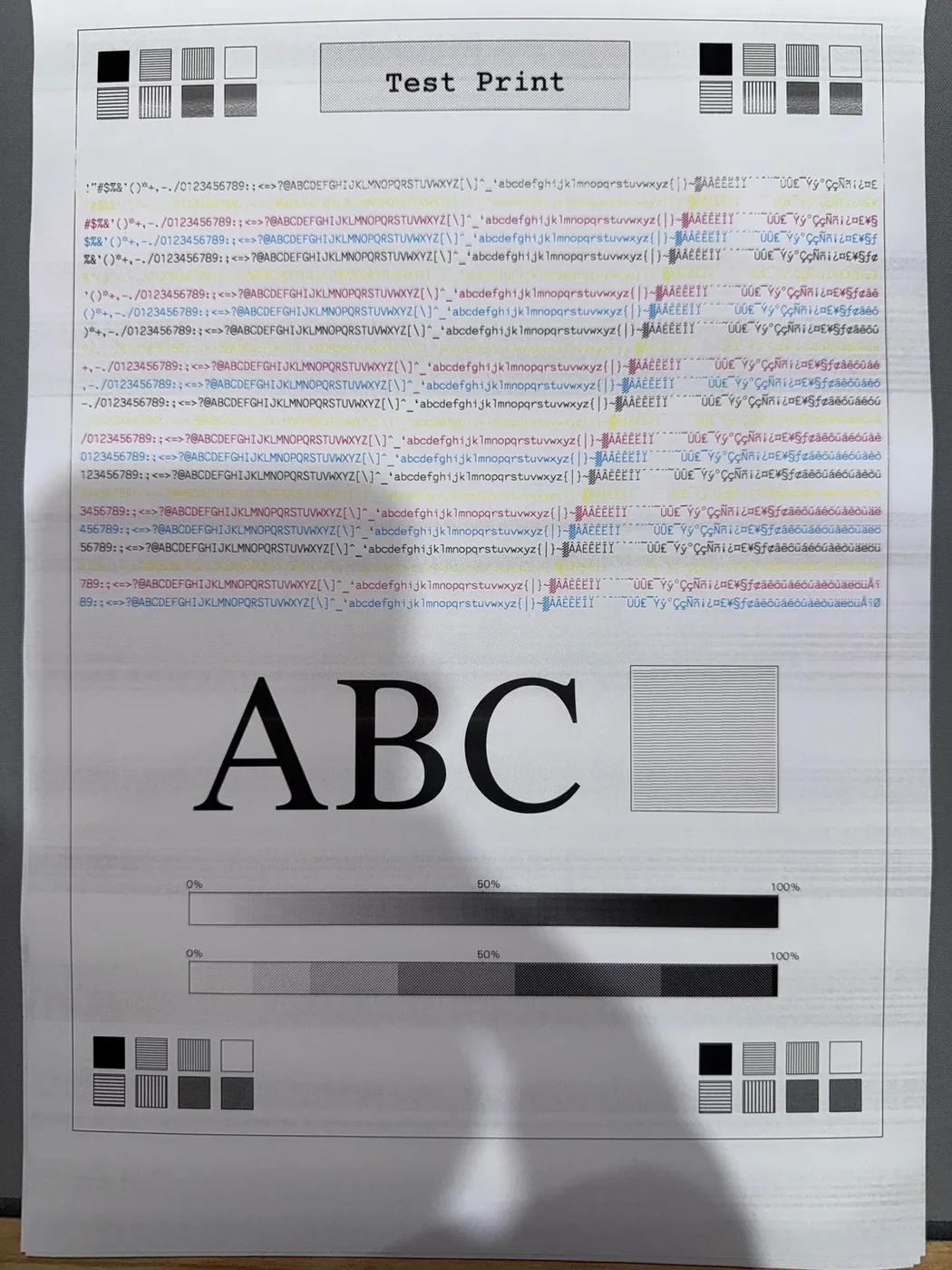
The repeated light/dark horizontal variation is the useful observation. The photograph alone does not prove whether the cause is nozzles, feed, quality mode, media or another issue; use the checks below to narrow it down.
If It Is an Inkjet
Print the inkjet test page and, if available, the printer's built-in nozzle check. Gaps in a nozzle pattern support a nozzle/ink-delivery investigation. If the nozzle check is clean but smooth fills still show regular bands, paper feed, bidirectional alignment, quality mode or media settings become more plausible.
If It Is a Laser Printer
Do not use printhead-cleaning advice. Print the laser test page. Note whether the defect is horizontal across the full width, vertical down the page, or repeats at a fixed distance. Toner, imaging, transfer, fuser, paper and contamination can produce line-like defects.
Use Color to Narrow the Symptom
If banding affects one color more than others on a color printer, print the CMYK sheet. A color-specific defect is different evidence from a band that appears equally through black and every color.
Check Settings Before Maintenance
- Use the correct paper type in the driver.
- Turn off draft/eco mode for the diagnostic print.
- Use normal scaling and the same quality mode for comparison.
- Try fresh, flat paper if the sheet is damp or curled.
When Cleaning Is Justified
On an inkjet, cleaning is more defensible when the printer's own nozzle pattern shows gaps or the manufacturer workflow recommends it for the observed result. If repeated cleaning stops improving the pattern, use the cleaning stop-rule guide rather than consuming more ink indefinitely.